v0.1.0 open source · MIT · Python 3.10+

Automations as code.
Tiny enough for a Raspberry Pi.

flowpilot is a lightweight, self-hosted workflow engine. Describe triggers and steps in readable YAML, keep them in Git, and get retries, persistent state, a live dashboard and first-class Telegram support — in a single Python process.

$pipx install "git+https://github.com/mrzroot/flowpilot.git"
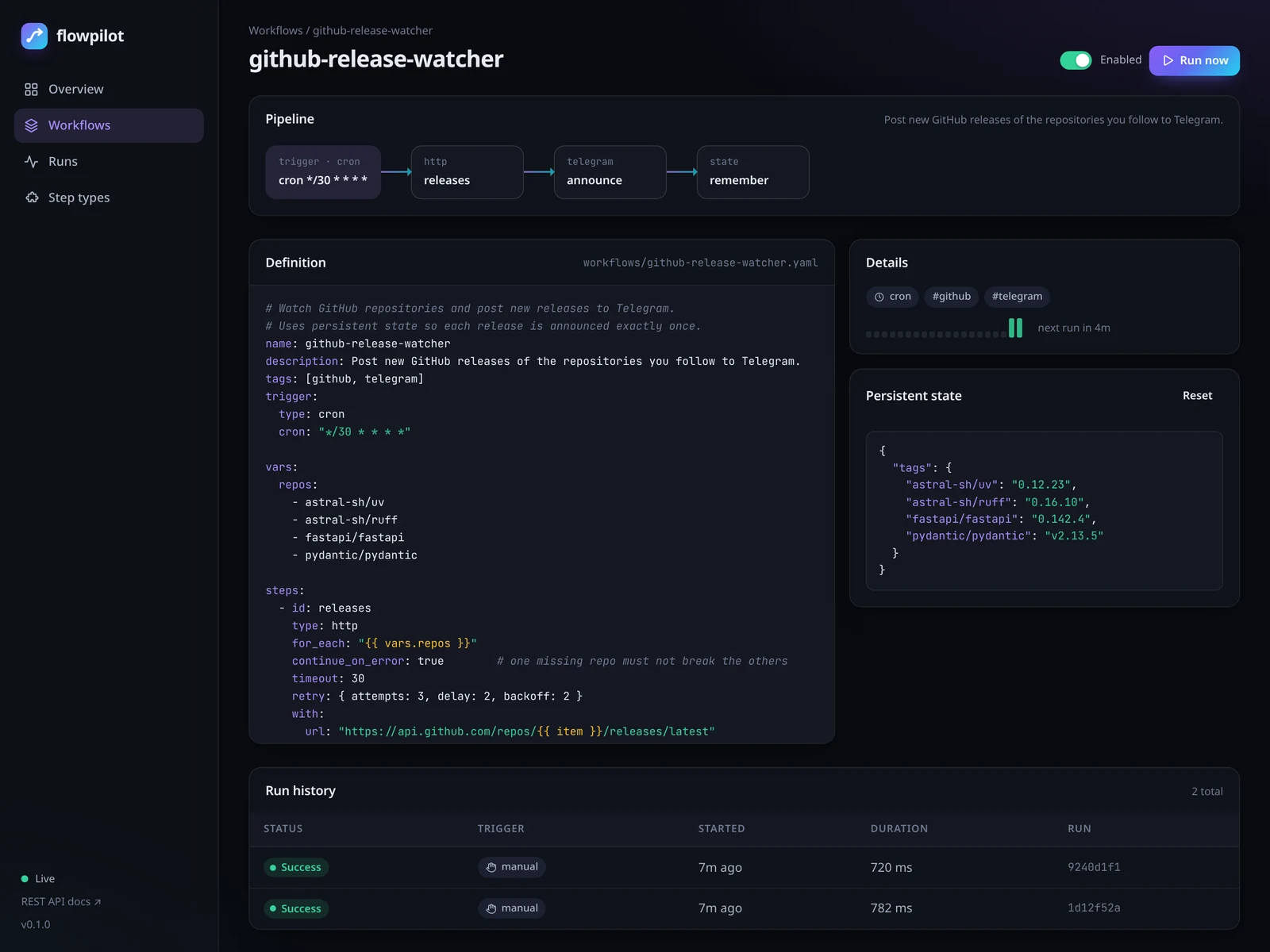
flowpilot dashboard overview
Features

Everything a small automation server needs

No Redis, no Postgres, no Node, no build step. Just Python, SQLite and your YAML files.

Code-first workflows

YAML or Python files you can diff, review and version. flowpilot validate catches typos in step types and parameters before they run.

First-class Telegram

Messages, files, photos and any Bot API method. Long messages are split automatically; use your own Bot API server or a proxy if needed.

Six trigger types

Cron with time zones, intervals, webhooks with secrets or GitHub signatures, file watchers, RSS/Atom feeds and manual runs.

Reliable by default

Per-step timeouts, retries with exponential backoff, on_failure handlers, concurrency limits and crash recovery.

Live dashboard

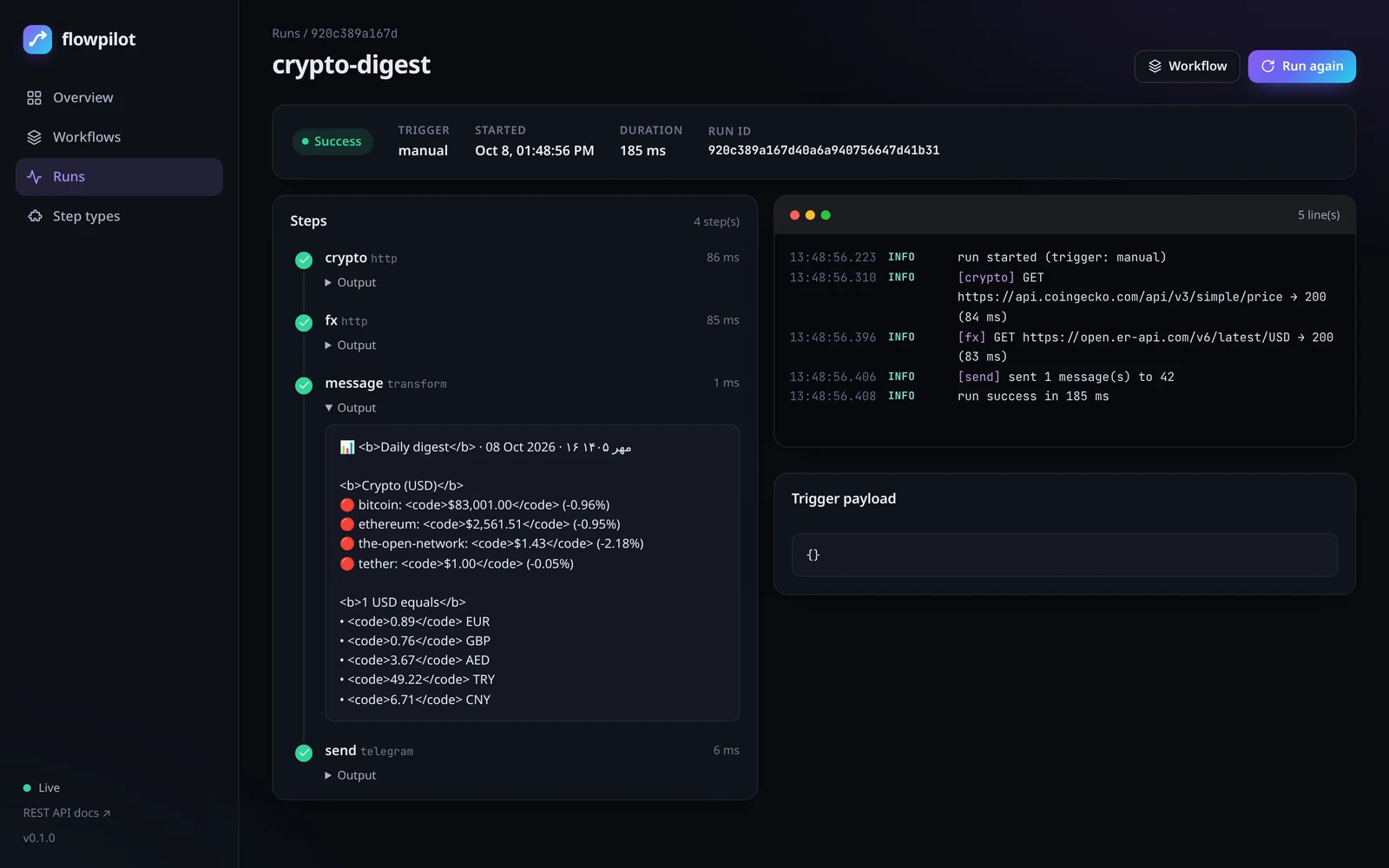
Watch run logs stream in real time over SSE, browse history, trigger runs and toggle workflows — dark or light, on desktop or phone.

Plugins in five lines

Decorate a Python function with @step and use it in YAML, or ship steps as a package through entry points.

How it works

From idea to running automation in minutes

Each workflow is a trigger plus steps. Steps can reference earlier results, the trigger payload, environment secrets and persistent state through Jinja2 templates.

  1. Scaffoldflowpilot init creates a project with example workflows.
  2. DescribeWrite a trigger and steps in YAML; validate them statically.
  3. Serveflowpilot serve starts triggers, the REST API and the dashboard.
# workflows/uptime-monitor.yaml
name: uptime-monitor
trigger: { type: interval, seconds: 120 }
vars:
  sites: [https://example.com, https://www.python.org]
steps:
  - id: check
    type: http
    for_each: "{{ vars.sites }}"
    retry: { attempts: 2, delay: 3 }
    continue_on_error: true
    with: { url: "{{ item }}", fail_on_error: false }

  - id: alert              # only when the status changes
    type: telegram
    for_each: "{{ steps.check.results }}"
    if: "{{ (item.ok and item.output.ok) != (state.up or {}).get(item.item, true) }}"
    with:
      text: "🔔 {{ item.item }} changed state"

  - id: remember
    type: state
    for_each: "{{ steps.check.results }}"
    with: { merge: { up: { "{{ item.item }}": "{{ item.ok and item.output.ok }}" } } }
cronintervalwebhookfilefeedmanual httptelegramemailtransformconditionbranchdelaylogpythonshellfile.writefile.readsqlitestatearchive
Examples

Real automations, ready to copy

Every example is validated in CI; the API-based ones use free public endpoints and need no keys.

cron

GitHub release watcher

Announce every new release of the repositories you follow — exactly once.

interval

Uptime monitor

Get a Telegram alert when a site goes down, and another when it recovers.

cron · Asia/Tehran

Daily price digest

Crypto prices and exchange rates every morning at 09:00, with the Jalali date.

feed

RSS → Telegram channel

One clean channel post per new feed entry, no duplicates.

cron

Nightly backup

tar.gz archives with retention, uploaded to Telegram, with an alert on failure.

webhook

Contact form

Turn website form submissions into Telegram messages, protected by a secret.

Made for Telegram

Built where Telegram is the default messenger

flowpilot was born in Mashhad, Iran, where most notifications end up in Telegram. That shows in the details.

Works with restricted networks

Point TELEGRAM_API_BASE at a self-hosted Bot API server or reverse proxy, or route requests through HTTPS_PROXY / SOCKS.

Persian-friendly templates

The jalali filter formats Solar Hijri dates and fa_digits converts numbers to Persian digits.

Channels, groups and topics

Send to users, groups, channels or forum topics; silent messages, HTML or MarkdownV2 with an escaping filter.

Files up to the Bot API limit

Upload local files (like nightly backups) or send photos and documents by URL.

Get started

Up and running in three commands

Install straight from GitHub (it is not on PyPI), scaffold a project and open the dashboard.

# 1. install
pipx install "git+https://github.com/mrzroot/flowpilot.git"

# 2. create a project and try it
flowpilot init my-automations && cd my-automations
flowpilot run hello

# 3. serve the dashboard, API and triggers
flowpilot serve            # → http://127.0.0.1:8080

# or with Docker
git clone https://github.com/mrzroot/flowpilot && cd flowpilot
mkdir project && docker compose up -d
Read the docs Download a release